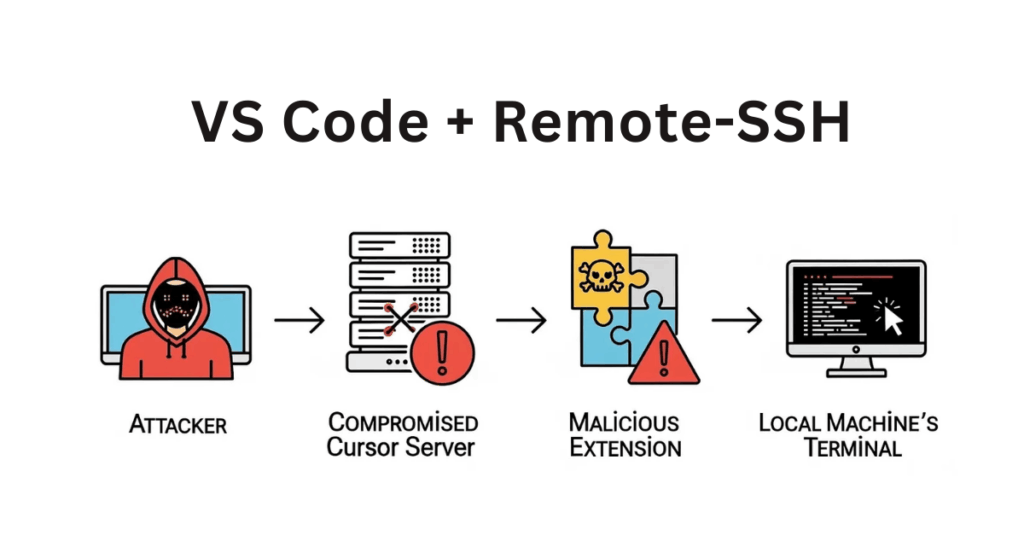
A severe security flaw has been identified in Microsoft’s VS Code Remote-SSH extension, enabling attackers to execute malicious code on a developer’s local machine by abusing compromised remote servers.
Security experts have demonstrated this exploit, named “Vibe Hacking”, which takes advantage of the trusted link between remote development environments and local systems. The issue impacts both VS Code and popular forks such as Cursor.
Misconception About Isolation
The root cause lies in a common misunderstanding among developers, who often assume that remote environments are fully isolated from their local workstations. In reality, once a remote server is breached, attackers can pivot directly to the local machine through the extension’s built-in commands.
Key Highlights
- Attackers can exploit the VS Code Remote-SSH extension to run arbitrary code on local systems.
- The exploit abuses built-in commands to open local terminals and execute commands without user awareness.
- Developers risk exposing their local workstations whenever they connect to untrusted or compromised servers.
Exploiting Built-in Commands
According to Calif researchers, the attack takes advantage of two default VS Code commands.
- workbench.action.terminal.newLocal: Opens a terminal directly on the local machine, bypassing the remote session.
- workbench.action.terminal.sendSequence: Sends text sequences to the terminal. With a newline character added, the command runs instantly, just like hitting Enter.

This technique turns the development environment into a hidden command-and-control channel, allowing attackers to run malicious code seamlessly.
Why the Attack Works
The Remote-SSH extension inherently trusts messages from remote servers. Developers who assume they are operating in a safe sandbox unknowingly expose their local devices to compromise.
Microsoft’s Warning and Current Risks
Microsoft has already cautioned users on the extension’s marketplace page, stating:
“A compromised remote could use the VS Code Remote connection to execute code on your local machine.”
Despite this warning, remote development adoption continues to rise, especially for AI model testing and agent deployment, leaving many users at risk.
Mitigation Strategies
Experts recommend the following defensive steps:
- Introduce user approval prompts when remote extensions attempt to open local terminals or send input sequences.
- Monitor the ~/.cursor-server directory for unauthorized changes (although this provides limited defense against fully compromised servers).
Ultimately, the vulnerability underscores the urgent need for secure-by-default design in development tools, reducing reliance on user trust decisions. With remote development environments becoming a standard workflow, addressing these issues is crucial to safeguarding developers against sophisticated supply chain threats.