Security researchers have discovered vulnerabilities in Microsoft’s Azure ecosystem that allow attackers to create fraudulent applications that look like official services, including Microsoft Teams and the Azure Portal.
Unicode Trick Bypasses Safeguards
Varonis identified that Azure’s protection mechanisms, which prevent reserved names in cross-tenant apps, can be circumvented by inserting invisible Unicode characters. Attackers used characters like the Combining Grapheme Joiner (U+034F) between letters, making app names such as “Az͏u͏r͏e͏ ͏P͏o͏r͏t͏a͏l” appear legitimate on user consent screens.
This method works with over 260 characters, including ranges like U+FE00 to U+FE0F. Many Microsoft applications do not display verification badges, causing users to ignore warnings about third-party apps.
Risks from App Permissions
Azure applications require user consent to access resources. Delegated permissions allow apps to act on behalf of a user, accessing emails, files, and other data, while application permissions provide standalone access.

When exploited, these permissions become powerful attack vectors for gaining initial access, maintaining persistence, and escalating privileges within Microsoft 365 environments.
Methods of Attack
Varonis highlighted two main techniques: illicit consent grants and device code phishing.
- Consent Grant Phishing: Victims receive phishing emails with fake file links that redirect to a consent page. Once approved, attackers obtain access tokens without needing passwords, gaining the victim’s resource privileges.
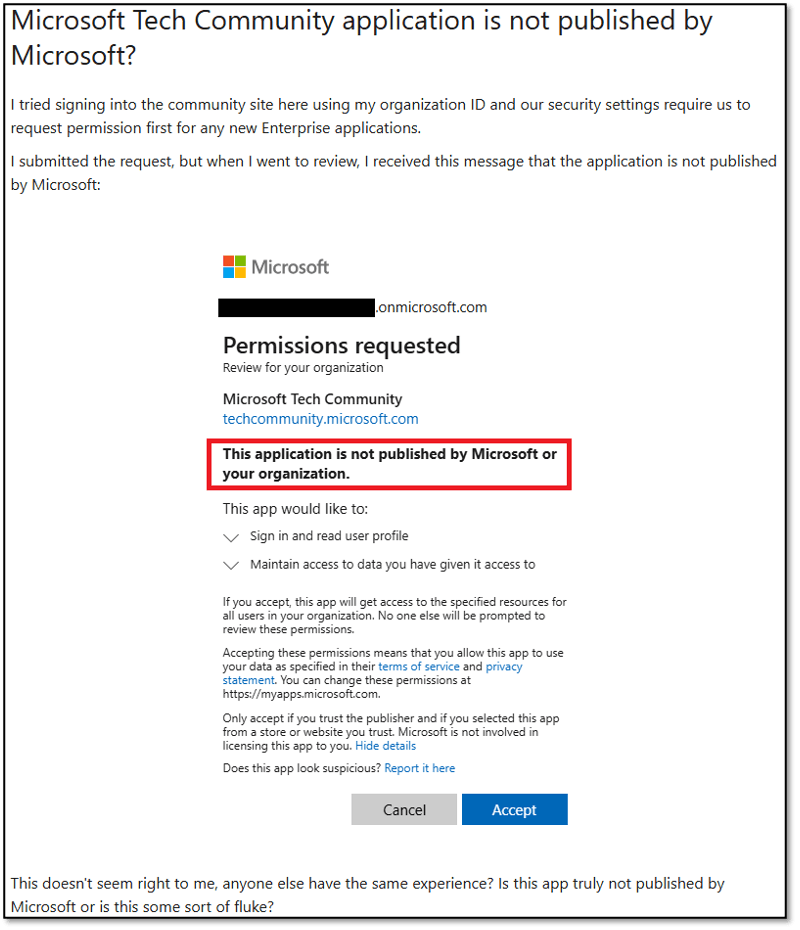
- Device Code Phishing: Attackers generate a verification URI and code for a malicious app. Users are tricked into entering it on a page that appears legitimate, while attackers poll for the token and hijack the session.
These attacks rely heavily on deception. Spoofed consent pages often look convincing, especially with Azure icons, and users frequently ignore “unverified” warnings, assuming Microsoft itself guarantees safety.
Scope and Remediation
Prohibited names tested included Microsoft Teams, Power BI, and OneDrive SyncEngine, highlighting the range of potential impersonations. Varonis promptly disclosed the issues, and Microsoft patched the Unicode bypass in April 2025, addressing a broader set of cases by October 2025.
No customer action is required since updates automatically protect tenants. Organizations are still advised to monitor app consents, apply least-privilege principles, and train users to recognize phishing attempts.
This incident emphasizes the importance of layered security in cloud environments, as attackers continually adapt to bypass protections.