Cybersecurity researchers have revealed technical details about a recently patched Google Chrome vulnerability that could have enabled malicious browser extensions to escalate privileges and access sensitive system resources.
The flaw, identified as CVE-2026-0628 with a CVSS score of 8.8, stemmed from insufficient policy enforcement in Chrome’s WebView tag. Google addressed the issue in early January 2026 with the release of version 143.0.7499.192 and .193 for Windows and Mac, and version 143.0.7499.192 for Linux systems.
According to the National Vulnerability Database, the weakness allowed attackers to inject scripts or HTML into privileged Chrome pages if they successfully convinced a user to install a malicious extension.
Gemini Integration Opened a New Attack Surface
The vulnerability was discovered by Gal Weizman, a researcher at Palo Alto Networks Unit 42, and responsibly disclosed on November 23, 2025. His analysis showed that even extensions with minimal permissions could potentially take control of Chrome’s Gemini Live panel.
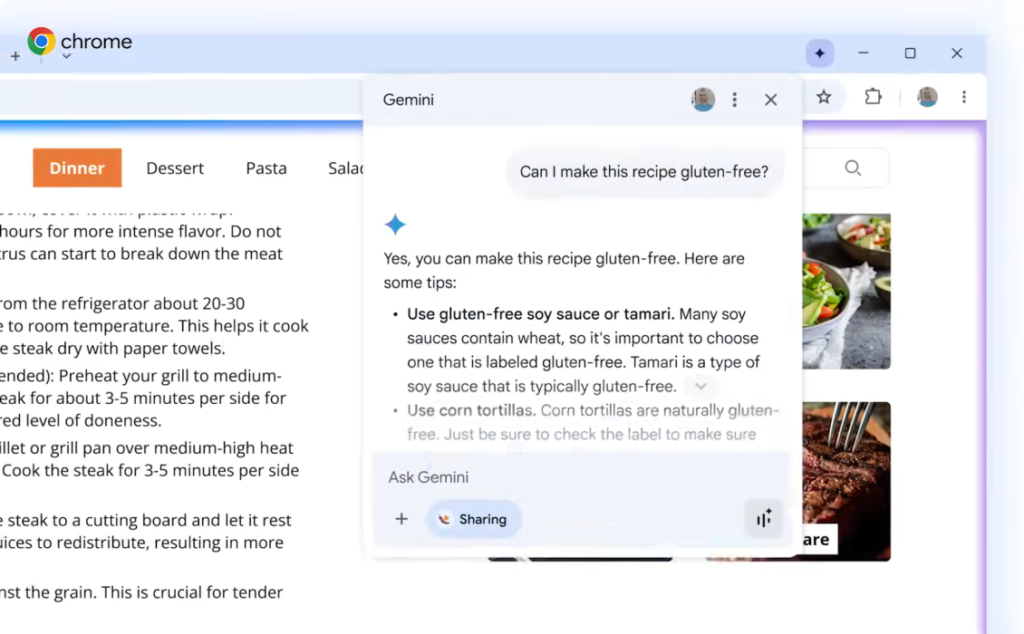
Google integrated Gemini into Chrome in September 2025, adding an AI powered assistant accessible through an icon at the top of the browser window. The panel enables real time summarization, translation, and task automation directly within the browser interface.
However, the research revealed that the Gemini side panel operates in a high privilege browser context. If exploited, this could allow attackers to bypass normal extension limitations.
Privilege Escalation and System Access Risks
If successfully exploited, CVE-2026-0628 could have enabled attackers to gain elevated access to the browsing environment. This escalation might have allowed unauthorized access to the victim’s camera and microphone, the ability to capture screenshots of any active webpage, and access to local files stored on the system.
The vulnerability highlights a growing security challenge as artificial intelligence capabilities become deeply embedded within browsers. While AI assistants require elevated permissions to perform multi step actions, those same permissions can become dangerous if misused.
Attackers could embed hidden prompts within malicious websites and trick users into visiting them. The manipulated content might instruct the AI assistant to perform restricted actions, potentially leading to data exfiltration or code execution.
Researchers warned that in some scenarios, malicious instructions could even be stored within the AI agent’s memory, enabling persistence across sessions.
DeclarativeNetRequest API Exploitation
Unit 42 explained that the attack chain leveraged the declarativeNetRequest API, a feature commonly used by extensions such as ad blockers to intercept and modify HTTPS requests and responses.
An attacker only needed to persuade a user to install a specially crafted extension. Once installed, the extension could inject arbitrary JavaScript into the Gemini panel hosted at gemini.google[.]com/app.
When loaded within the browser’s integrated panel, the Gemini application inherits powerful capabilities granted by Chrome. This allowed injected code to interact with sensitive browser features that would normally remain protected.
AI Side Panels and Traditional Browser Risks
Security researchers noted that integrating AI side panels directly into the browser environment reintroduces familiar browser security concerns.
Placing AI components inside a privileged browser context may unintentionally create new logical flaws or implementation weaknesses. These may include cross site scripting vulnerabilities, privilege escalation pathways, and potential side channel attacks exploitable by lower privileged websites or extensions.
While it is expected that extensions can influence ordinary web pages, the ability to affect browser native components crosses into a significantly higher risk category.
Security Implications for Chrome Users
Although Google has patched CVE-2026-0628, the incident underscores the evolving threat landscape surrounding AI powered browser features.
Users are strongly encouraged to update Chrome to the latest version and avoid installing extensions from untrusted sources. Enterprises should also enforce strict extension policies and monitor browser behavior for abnormal activity.
As browsers increasingly integrate advanced AI capabilities, maintaining a secure balance between functionality and privilege isolation will remain a critical challenge for vendors and cybersecurity teams.
Found this article interesting? Follow us on X (Twitter) , Facebook, Blue sky and LinkedIn to read more exclusive content we post.