Hackers Pose as IT Teams to Exploit Microsoft Teams and Gain Remote Access
A newly discovered social engineering campaign run by the EncryptHub threat group combines impersonation techniques with technical exploitation to compromise enterprise systems.
Researchers report that the Russian-linked group is disguising themselves as IT support staff and using Microsoft Teams requests to gain access. Once access is established, they deploy malicious payloads by abusing a previously unknown Windows vulnerability.
Attack Methodology
The campaign begins when attackers impersonate internal IT departments and send Microsoft Teams connection requests to employees.
When a victim accepts the request and starts a remote session, the attackers instruct them to run PowerShell commands that appear legitimate. In reality, these commands download and execute malicious scripts.
The first command bypasses Windows security policies and retrieves a script named runner.ps1 from attacker-controlled domains such as cjhsbam[.]com.
This script targets CVE-2025-26633, a flaw in Microsoft’s Management Console framework called MSC EvilTwin.
Microsoft Teams Used to Deliver Malware
The MSC EvilTwin vulnerability allows adversaries to execute malicious Microsoft Console (.msc) files by manipulating how the system loads them.
The exploit works by dropping two .msc files with the same name, one clean and one malicious, in separate directories. When the legitimate file is executed, the system inadvertently loads the malicious version located in the MUIPath directory.
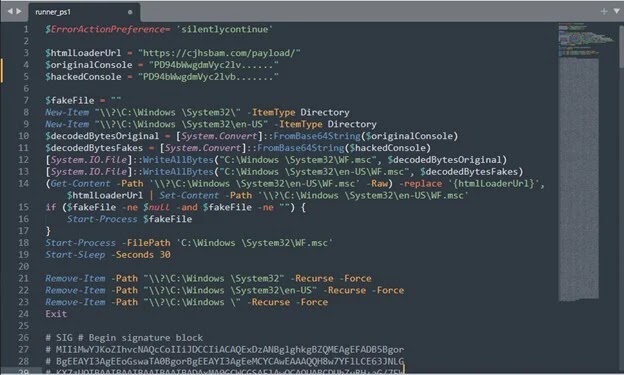
“The malicious file is placed in the MUIPath directory, usually under the en-US folder. When the genuine file is run, it starts the mmc[.]exe process, which first checks MUIPath for files with the same name,” explained Trustwave researchers.
Once exploited, the malware establishes persistence, communicates with command-and-control servers, and executes AES-encrypted PowerShell commands. This gives attackers complete remote control of compromised systems.
One of the key payloads is Fickle Stealer, a PowerShell-based tool designed to steal files, collect system information, and extract cryptocurrency wallets.
The malware also generates fake browsing traffic to popular sites, masking its command-and-control traffic as normal network activity.
Expanding Arsenal of EncryptHub
EncryptHub, also known as LARVA-208 and Water Gamayun, has been active since mid-2024. By February 2025, the group had breached more than 618 organizations across multiple industries, including Web3 development and gaming.
Researchers found that the group hosts malicious ZIP files on Brave Support, a legitimate help platform for the Brave browser. This is concerning since file uploads typically require verified accounts with special permissions.
Beyond Microsoft Teams impersonation, EncryptHub maintains a wide range of custom tools.

SilentCrystal – a Golang-compiled loader that replicates PowerShell behavior.
SOCKS5 proxy backdoor – functions in both client and server modes.
Fake conferencing platforms – such as RivaTalk, which distribute malicious MSI installers that appear legitimate by requiring access codes before download.
CVE-2025-26633 and Ongoing Exploitation
The zero-day vulnerability CVE-2025-26633 was disclosed in March 2025, though active exploitation had already been observed in February. Microsoft released patches, but many unpatched systems remain at risk.
The flaw holds a CVSS score of 7.0 (high severity) and is listed in the CISA Known Exploited Vulnerabilities catalog, highlighting its importance for enterprise and government security.
Defense Recommendations
Experts emphasize that this campaign demonstrates the effectiveness of combining social engineering with technical exploitation.
“Social engineering remains one of the strongest tactics for attackers, and EncryptHub has integrated it effectively,” noted Trustwave researchers.
Security professionals recommend:
- Patching CVE-2025-26633 immediately
- Monitoring Microsoft Management Console activities closely
- Training staff on social engineering awareness
- Restricting remote access capabilities
- Establishing strict verification procedures for IT support requests
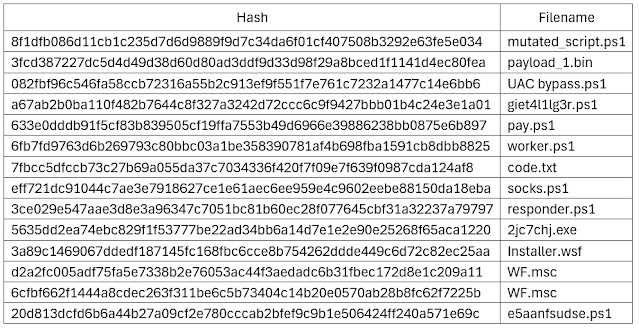
IoCs